Nesting and CAM software
Drawings only earn their keep once they become reliable cut files on the table. We set up nesting and CAM software, tune the post-processor, and train your team so parts cut cleanly on the control you already run.
From drawing file to usable cut program
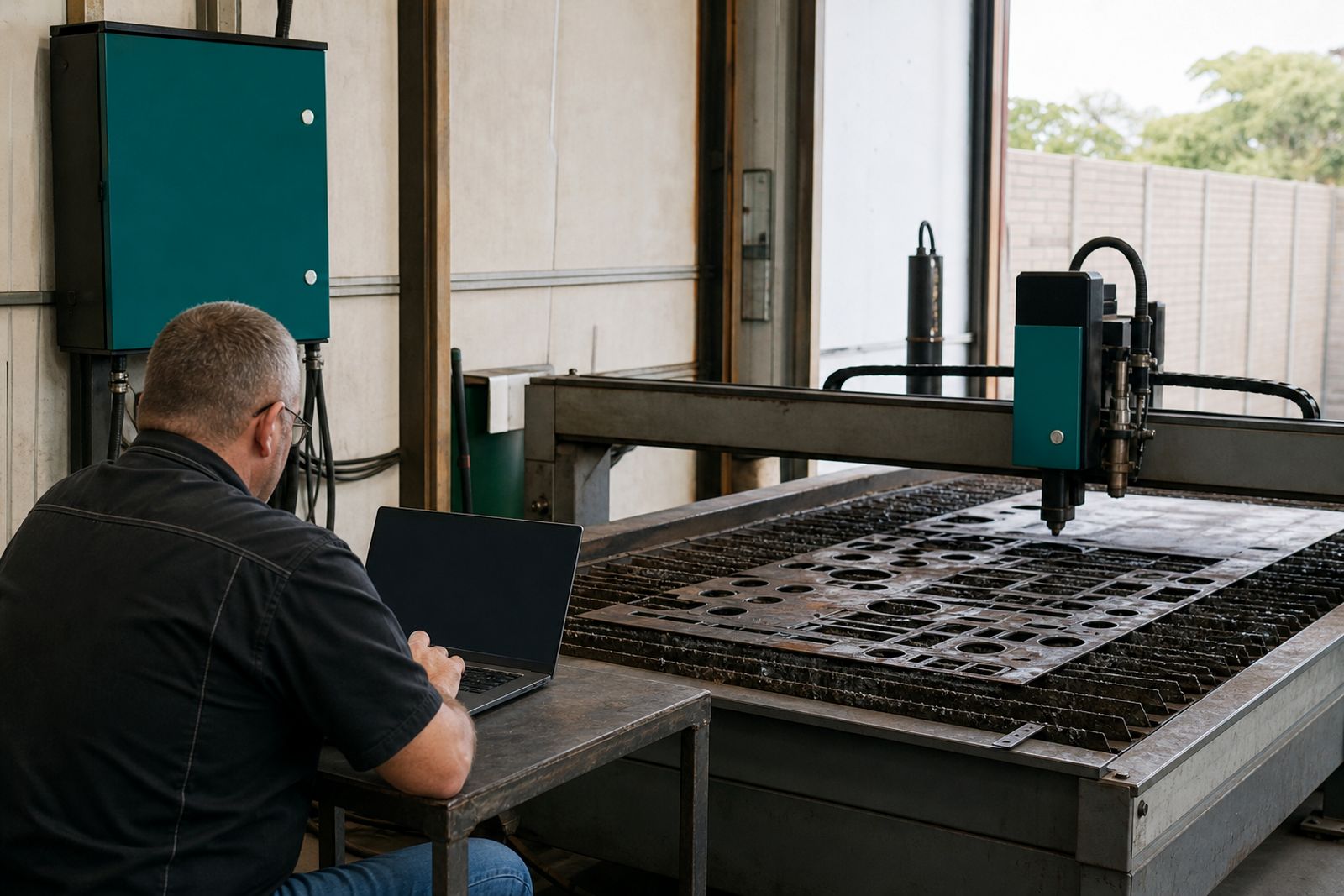
This service is for shops with an existing plasma table that needs better software flow between drawing, nesting and the machine control. We work with plate jobs, repeat production parts, repair components and one-off profiles where lead-ins, kerf allowance, pierce timing and cut order all matter. Dependable output that suits your actual table, your power source and the material thicknesses you cut most often is the aim.
Our scope covers software supply, installation, machine setup, post-processor matching and operator training on site. We do not sell new complete machines, new beds or used tables. If your current table is sound but file preparation is slow or cuts are messy, this work usually gives the operator far better control over the result.
What is included in the software setup
Each installation is built around the table that is already in your shop. A small fabrication team in Gqeberha cutting mild steel every day will need a different setup to a maintenance workshop in East London doing mixed jobs and short runs. We set the package so the operator can move from imported drawing to nested sheet to cut file without guessing at every step.
- CAM software installation on the selected workshop computer
- Nesting setup for common sheet sizes and plate remnants
- Post-processor configuration to match the controller on the table
- Kerf, lead-in, lead-out and pierce parameter setup
- Material and thickness libraries for the work you actually cut
- Trial parts on the machine with changes made at the table
- Operator training for daily use, file checks and basic troubleshooting
Where needed, we also align the software setup with a controller retrofit, torch-height control upgrade or power-source pairing already being done on the same table. That keeps the cut file logic and machine behaviour in step, which saves a lot of workshop frustration later.
How the rollout happens on site
We start by looking at how work reaches the plasma table now. Some shops get clean DXF files from the drawing office. Others receive mixed customer files, paper sketches or old parts to copy. That starting point matters because the software workflow must fit the real job stream and the way work actually comes into the shop.
After that we inspect the control, axis behaviour and torch setup so the post output matches the table. Once the software is installed, we build or adjust the machine profile and test with sample shapes, internal holes, outside contours and thicker plate pierces. We normally work through a short production style batch because small errors often show up on the second or third nested sheet.
- Review current file types, sheet sizes and production mix
- Confirm control format and machine output requirements
- Install software and set user access where needed
- Load machine profile and tune the post-processor
- Create sample nests for your usual plate dimensions
- Run test cuts and adjust toolpath rules at the machine
- Train operators and leave a practical job sequence
What your workshop should prepare before we arrive
Good preparation shortens site time and gives cleaner results. We need access to the table, the control, the workshop computer that will run the software, and a few typical drawing files. It helps if you also set aside the plate sizes and thicknesses you cut most often, plus one or two jobs that have caused trouble in the past. Those problem files tell us more than a perfect sample.
Please have the operator available during setup and trial cutting. If the person who quotes jobs or prepares drawings can join for part of the day that helps too, because nesting choices made in the office affect plate yield and cut order on the floor. On coastal sites around Gqeberha, salt air and dust around older PCs can also affect installation stability, so we may recommend cabinet clean-up or better enclosure sealing where needed.
How pricing is worked out
Software work is priced from the scope. A straightforward install on one computer with one machine profile costs less than a site job where we must sort out mixed file formats, rebuild a post, train several operators and coordinate settings with other retrofit items. Travel outside the Eastern Cape is also a factor when crews are booked into the Western Cape, Free State or Gauteng.
In general, pricing is shaped by the software licence level, the number of seats required, controller compatibility work, machine testing time and how much operator training is needed. If your table cuts a wide range from thin sheet to heavier plate, parameter library setup takes longer but usually pays back in fewer bad pierces and less scrap. Quotes are based on the condition and layout of the existing table, because software alone cannot hide mechanical faults or unstable torch motion.
Aftercare and practical support once cutting starts
Once the software is in use, most shops need a short settling period where habits change and a few material rules get tightened up. We provide practical aftercare around post output, nesting logic, cut sequence and operator use so the system keeps matching the table it was set up for. If the machine later receives a controller swap, height-control upgrade or extraction changes, the software settings can be reviewed to keep the full chain aligned.
We also advise on file housekeeping, part naming, remnant handling and backing up machine profiles. Those small disciplines stop a lot of production mistakes. When a workshop has more than one operator, we prefer to leave a clear house method for importing files, checking lead-ins, selecting material rules and saving cut programs, with each operator following the same method.
For software setup linked to an existing table retrofit in Gqeberha, Kariega, East London or Makhanda, send the machine details and current workflow through our contact form.
What our Plasma Retrofit customers say
Verified Google reviews
Questions we get asked
Can you set up software if our table is old?
Software can be set up provided the table is still a sensible retrofit candidate and the control can be matched with the correct post output. We assess the machine condition as part of the job because unstable motion and poor torch control will affect software results.
Do you train operators on the machine as well as the software?
Training is done around real workshop files and live test cuts so the operator sees how nesting choices, lead-ins, pierce settings and cut order affect the finished part.
Do you sell complete new plasma tables?
Our work is focused on existing tables that need better controls, software flow, height control, power-source matching or extraction.
Also worth a look
Tell us about the job
Send sizes, materials and where you are through our contact form, and we will come back with the practical options.
Open the contact form